
Free Image Blur Background - Soften Any Photo Backdrop Online
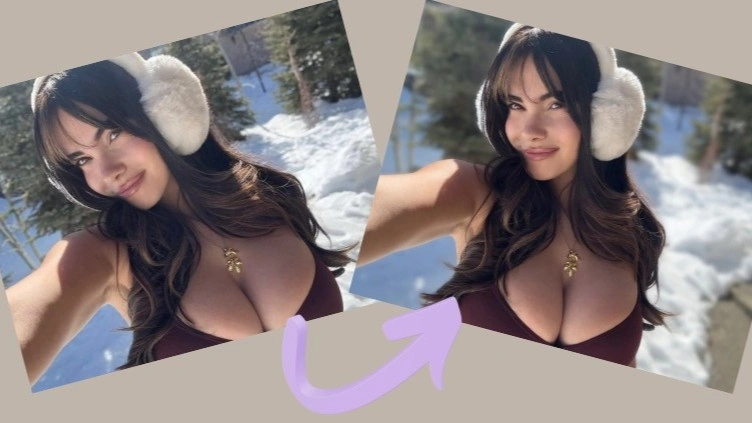
Keep the face sharp and let everything behind it fall away. Senzia's AI blur background reads depth in your photo, then softens the backdrop the way a fast lens would - not with a hard circle cut around the subject. Free to start online, dial the strength yourself, and download at the resolution you uploaded.
What is Senzia's Image Blur Background?
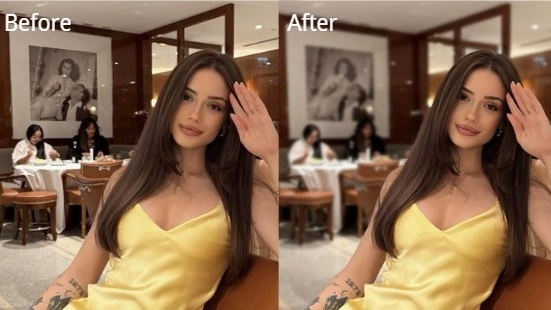
Senzia's image blur background is a browser editor that separates how sharp each part of a photo should stay, then softens only what sits farther from the camera. That is different from a simple Gaussian smear across the whole frame: the subject keeps eyelashes, glasses frames, and shoulder edges crisp while the backdrop melts into a shallow depth of field look. Upload a portrait, a product shot, or a travel still, set how strong the falloff should feel, and the background blur AI returns a photo with background blurred that still reads as one photograph. It runs online with nothing to install, stays free to start, and never stamps a watermark across the export.
How Does Senzia's Image Blur Background Work?
Step 1: Upload Your Photo
Drop in a JPG, PNG, or WEBP from your computer or camera roll. A clear subject with some distance to the backdrop gives the blur background online tool the cleanest depth map to work from.
Step 2: Set How Soft the Backdrop Should Feel
Choose a light softening for busy streets, or push toward a stronger portrait mode blur when you want the subject to own the frame. Preview the edge around hair and glasses before you commit.
Step 3: Export at Full Resolution
Download when the falloff looks right. This blur background free online path keeps your original pixel size, so a phone portrait or a studio still stays ready for posts, decks, or print.
What You Can Do with Senzia's Image Blur Background?
Create Portrait Depth Without Buying a Fast Lens
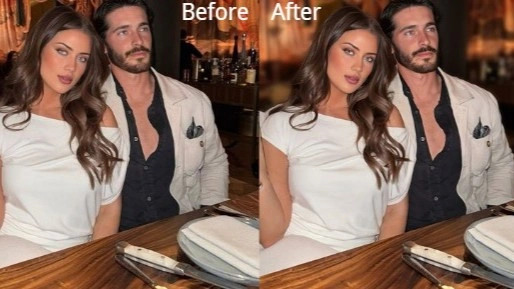
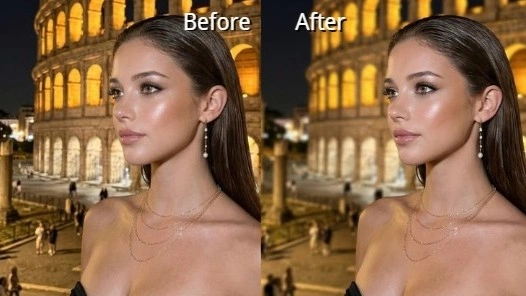
Phone cameras often keep the wall behind a face as sharp as the eyes, which flattens the whole shot. Depth-aware blur increases softness with distance instead of chewing a hard ring around the head, so glasses frames and flyaway hair stay intact. The result is a photo with background blurred that feels closer to a wide-aperture portrait than a filter stamped on top.
Soften Busy Scenes Into Clean Bokeh
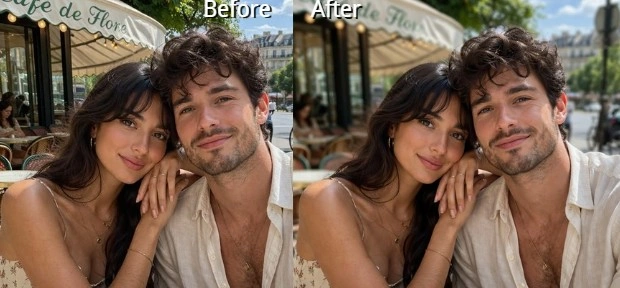
Street lights, shop signs, and cluttered desks compete with whatever you meant to show. A controlled bokeh background turns that noise into soft highlights while the subject stays readable. Use a light touch when the setting still matters to the story, or push harder when the backdrop should disappear into atmosphere.
Pull Product Focus Forward Instantly
A listing photo shot on a kitchen table often keeps every box and cable sharp. Soften only what sits behind the item so the product owns the frame without deleting the room entirely. This blur image background editor approach is faster than rebuilding a studio setup and cleaner than cropping until nothing is left in the shot.
Fix Flat Phone Shots on the Go
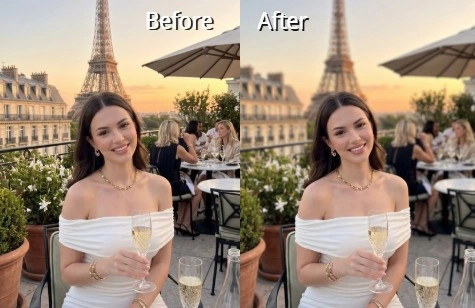
You should not need desktop software to rescue a good expression taken in a busy cafe. Open the photo editor blur background flow in your phone browser, set the strength, and export before the moment cools. Free background blur that runs online means the same depth pass works whether you are on a laptop or a mid-range handset.
Who is Senzia's Image Blur Background for?
Portrait and Lifestyle Creators
Creators who shoot on phones still want subject separation that looks intentional. They use this blur picture background tool when the location is useful but too sharp, keeping the person crisp while the room falls into soft focus.
Sellers Cleaning Up Product Photos
Marketplace shots often include shelves, cables, and packaging in the same plane of focus. Sellers apply a light blur backdrop online pass so the item stands out without forcing a pure white cutout every time.
Anyone Fixing Everyday Phone Photos
A strong smile in a busy room should not need a studio retoucher. Everyday users open a blurred photo online editor, soften what distracts, and keep the file private after download - no layers, no masking course required.
Why Choose Senzia's Image Blur Background?
Depth Falloff Instead of a Hard Cutout Ring
Phone portrait modes often slice a jagged outline and blur everything outside it the same amount. Senzia's background blur AI builds a depth map first, then increases softness with distance so near furniture stays slightly readable while far walls melt further. That progressive falloff is why glasses, hair, and ear edges survive at full zoom.
Strength You Control for Every Shot
A travel photo may only need a gentle soft focus background so the street still reads; a headshot may want a stronger shallow depth of field look. One slider covers both without forcing a single default. Preview before export and you will know whether the subject still owns the frame.
Browser-Fast, Full-Resolution, Private
Nothing installs, and processing runs on our side so an older laptop or phone stays usable. Your blur background of photo online free export comes back at the size you uploaded, without a watermark, and uploads are not published to a public gallery. You keep ownership of every edited still.