
AI Object Remover: Remove Unwanted Objects from Photos
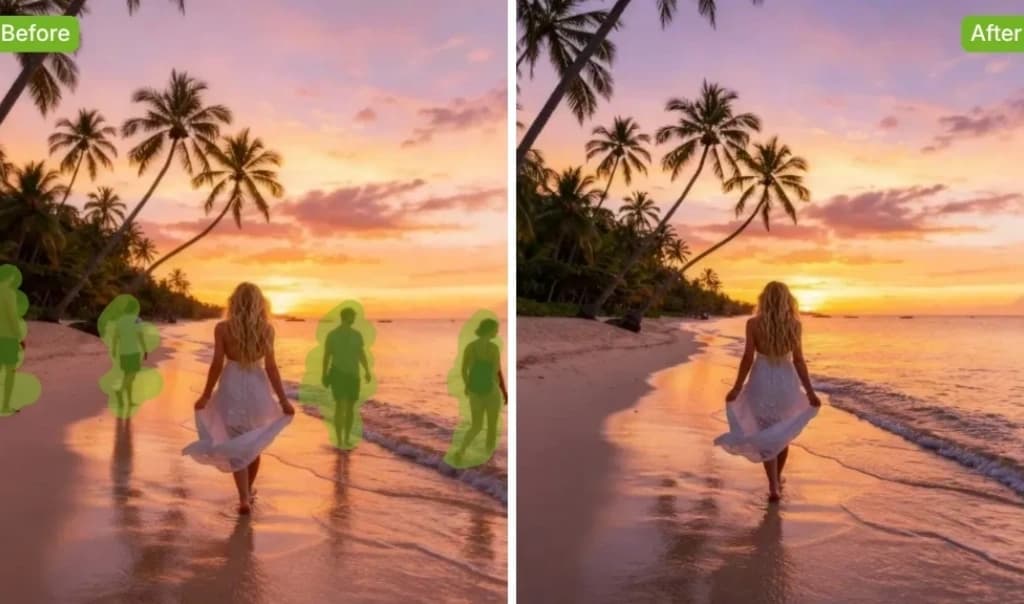
Brush a mark and Senzia's AI photo eraser rebuilds only that hole. Use it to remove objects from photo shots or to remove person from photo extras, including the shadow. Unmarked pixels stay the uploaded file. Free to start. Export is a still.
What is Senzia's AI Photo Eraser?
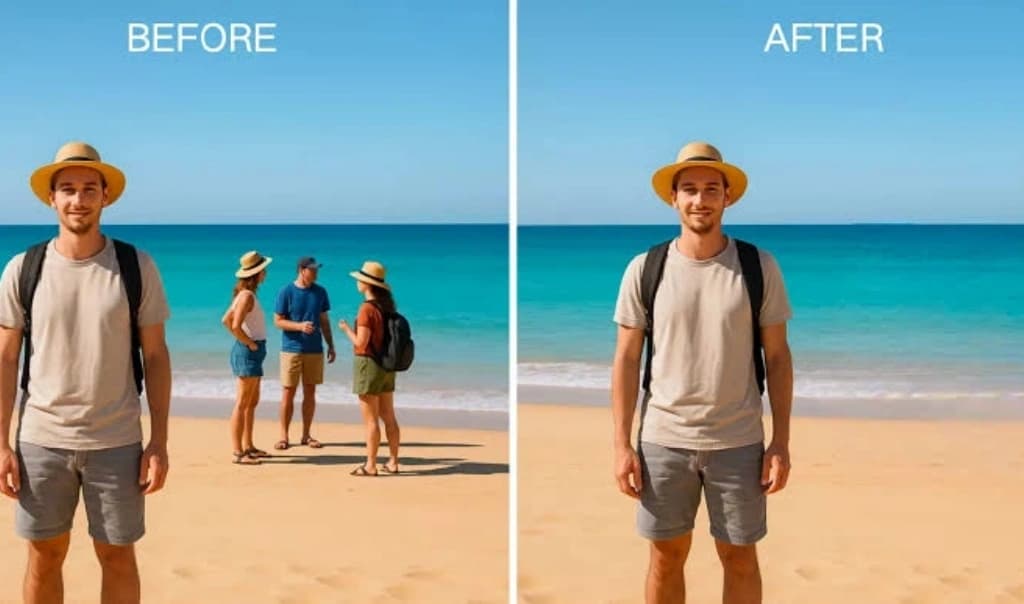
Senzia's AI photo eraser is a still-image tool that marks a region and rebuilds only that hole. It is not a cutout that deletes the whole backdrop for a transparent PNG. It is not an image-to-image rewrite of the file. Upload a photo. Paint the thing that should leave. object removal then continues the wall, street, table, or sky through the gap. Unmarked pixels stay the same file. Use remove objects from photo when a wire, sign, or bag sits in an otherwise finished shot. Use remove person from photo when a passerby or extra occupies a slice of the frame, including the shadow they cast. An AI object remover that rewrites the whole picture will move your subject. This one does not. An AI background remover on this page means you erase people or clutter that sit in the scene behind the subject, then fill that scene so it reads as one capture. If you need the subject lifted onto alpha, that is a different cutout job. An eraser for pictures should also keep grain and light direction so the fill does not look airbrushed. Free to start. Export is a still, not a clip. An AI video background remover is out of scope here.
How Does Senzia's AI Photo Eraser Work?
Step 1: Upload a Still Photo
Add JPEG, PNG, or WEBP. An image object remover job needs a still, not a clip. A picture remove object pass starts when the file is on the canvas. Do not upload a photo you cannot edit.
Step 2: Paint the Object, Shadow, and Rim
Cover the item plus a thin margin. erase object from photo edges clean up when the brush is slightly larger than the outline. Include the contact shadow and any reflection on glass or wet ground. Unmarked faces and walls stay untouched.
Step 3: Fill, Check, and Download
Preview the hole against the original. A remove object from photo free download is an unmarked still. If a rim or ghost shadow remains, mark only that leftover and run again. Free to start.
What You Can Do with Senzia's AI Photo Eraser?
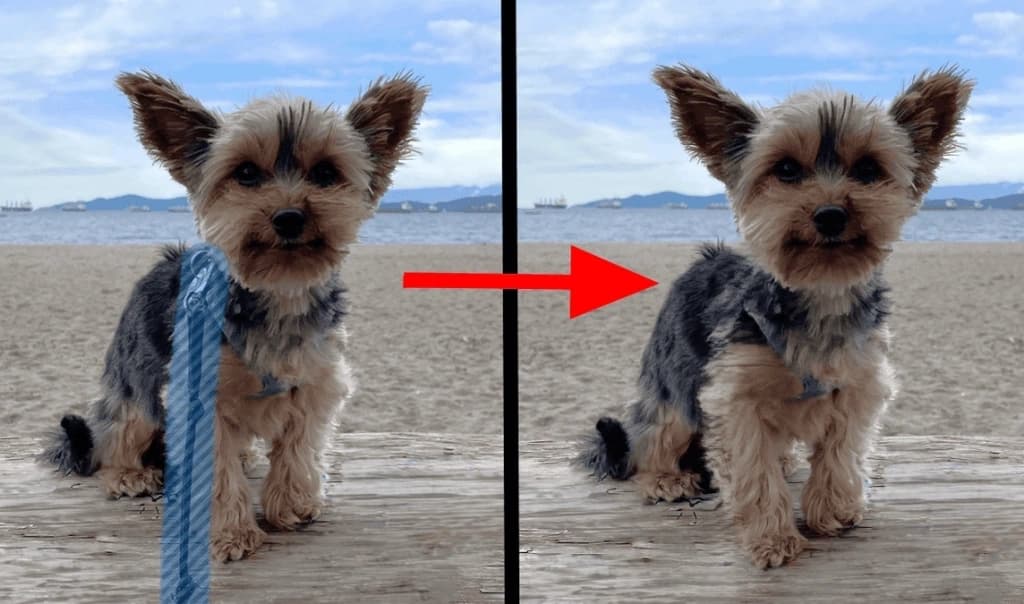
Brush to Remove Objects from Photo
A finished frame still fails when a wire, bag, or sign sits in the wrong place. Brush that mark and Senzia will remove items from photos by rebuilding only the hole. erase object from photo work includes the contact shadow or the fill looks pasted. Unmarked walls and faces stay the original pixels. A delete object from photo pass can run twice if a rim remains. This is objects remover from photo editing, not a full rewrite of the shot.
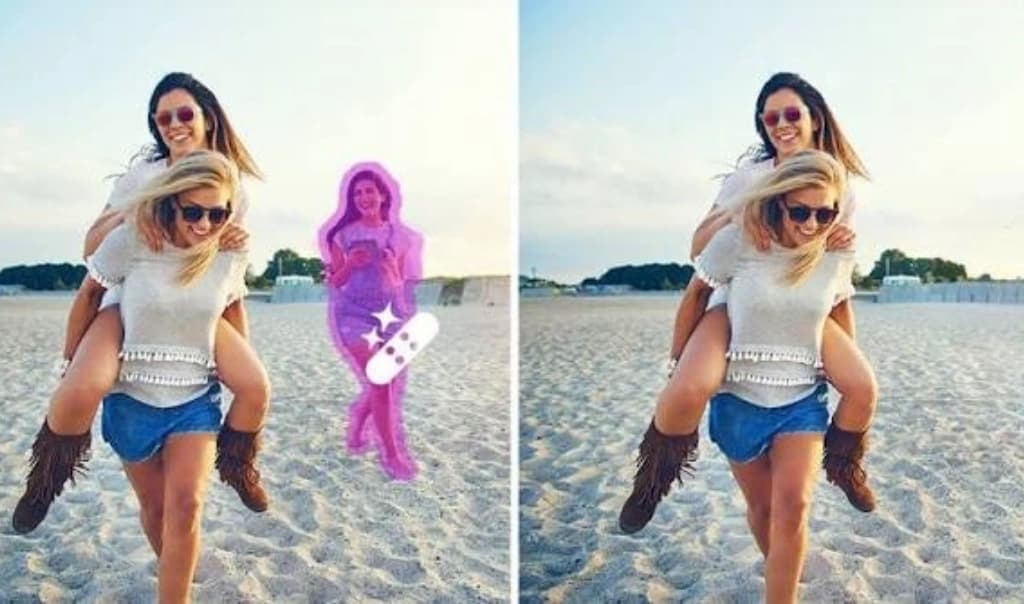
Remove Person from Photo Including Shadow
A passerby can ruin an otherwise clean group. remove people from photos by painting every person who should leave, then the pavement or wall continues. erase someone from a photo and miss the shadow, and the ghost stays on the ground. A person remover from photo job is still a still-image fill. Do not use it on a face you have no right to alter. edit out person in photo extras, keep the people you meant to show.
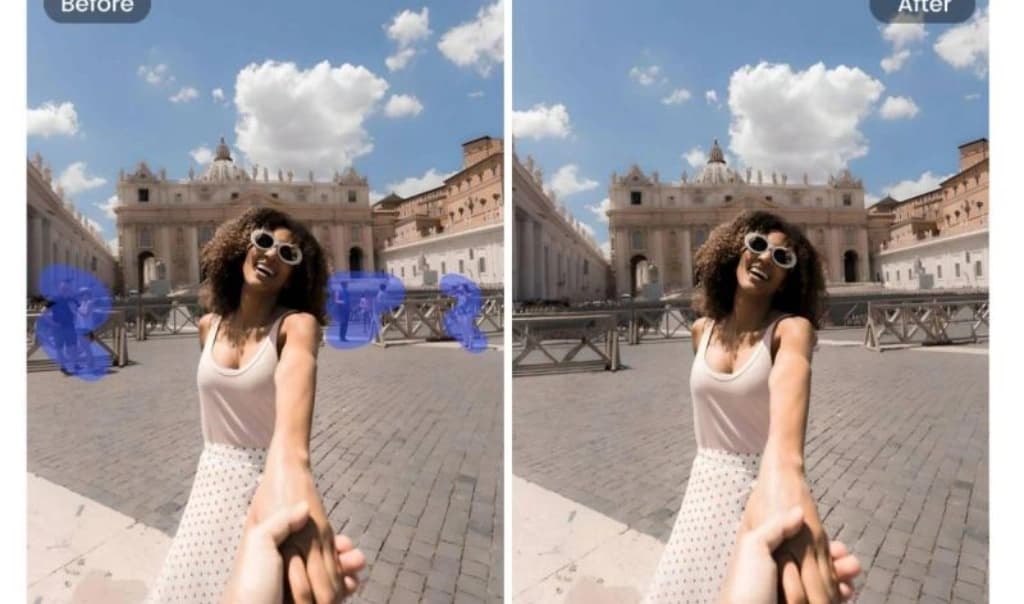
AI Background Remover for Scene Fill
When strangers sit behind your subject, the job is scene fill, not a transparent cutout. An AI background remover here means you mark those extras and rebuild the street or room. remove people from background slices so the subject never lifts off the photo. remove background AI in this sense is object removal inside the backdrop. background remover AI does not export a checkerboard PNG on this page. If you need alpha around the subject, use a cutout tool instead.
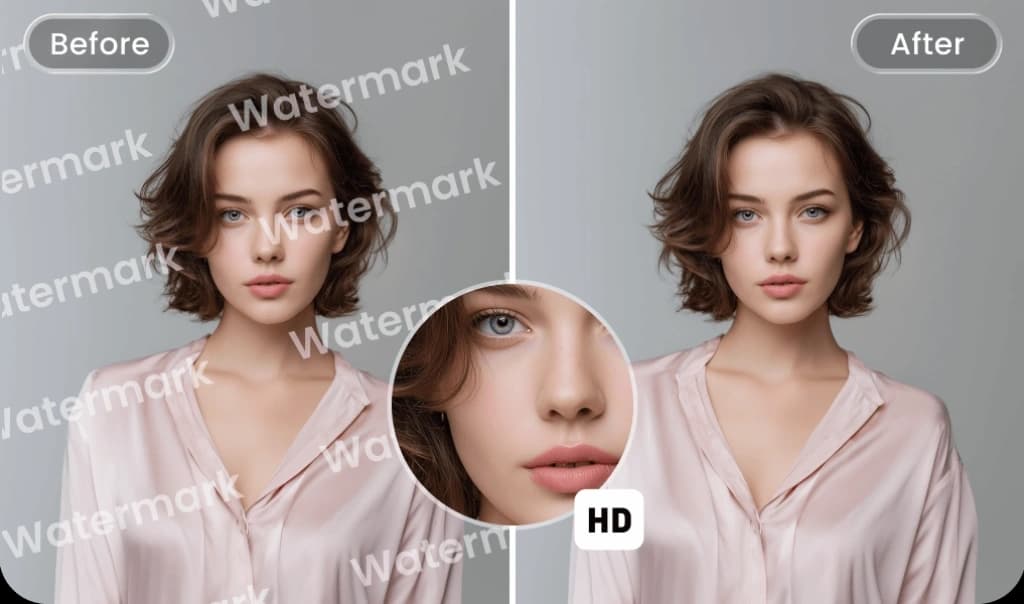
Remove Object from Photo Free Export
A remove object from photo free export is an unmarked still. An AI background remover free session does not stamp a logo on the fill. object remover free applies to the first brush pass in the browser. AI remove objects from photo quality fails when the mark covers most of the frame; there is not enough scene left to continue. Run again on leftover traces. You keep the file. Rights in the photo stay with you.
Who is Senzia's AI Photo Eraser for?
Listing Photographers
A driveway bin or a neighbor's car can stall a listing. remove things from photos so the house stays the subject and the street reads empty.

Event Editors
A toast shot often has a waiter in the aisle. remove people from picture corners and keep the couple, the table, and the light you already captured.

Product Stylists
A cable or a dust spec should not ship with the bottle. object eraser clears that mark and leaves the label, the grain, and the reflection.
Why Choose Senzia's AI Photo Eraser?
Only the Marked Hole Changes
object removal AI quality is a mask problem. If the mark is wrong, the fill is wrong. remove object from photo AI output should leave every unmarked pixel identical to the upload. A full-frame rewrite is a different product.
Structure, Texture, Shadow and Grain
The hole needs a continued wall line, a matching grain, and the same light. AI remove object fills that fail usually missed the shadow. remove unwanted object marks should sit slightly outside the outline so the edge has clean neighbors.
Free to Start, Still Image, Private
A free AI background remover session on this page is scene fill, not an alpha cutout. An AI image remover export is a still. Uploads are not posted to a public gallery. You remain responsible for the photo and the people in it.