
Uncensored AI Video Editor Online Free Trial
An uncensored AI video editor should change a stretch of footage, not hand you a different film. Upload a clip, mark an in and out point, and describe the change in one line. AI video editor no restrictions means that line is not screened for taste. Frames outside the range and the whole audio track stay byte for byte. Free to start online.
What is Senzia's Uncensored AI Video Editor?
Senzia's uncensored AI video editor works on footage you already have. This page needs an upload, and it returns the same file with one stretch rewritten. Mark an in point and an out point on the timeline, then write what that range should become: a different outfit, a different room, a different light, a different action. An AI video editor with prompt no restrictions reads that line rather than sanitising it. Everything before the in point and after the out point is untouched, and the audio track is never re-encoded. Inside the range the change has to hold on every frame, so a garment does not flicker between shots of the same second. That is the difference between video AI editing and running a still-image tool once per frame. uncensored AI video editing here covers your own footage and clips you are licensed to edit. Footage of a real, identifiable person may only be edited with their permission, and sexualised edits of someone who has not agreed are refused. Minors and named public figures are out of scope. Export is an MP4 with no watermark, free to start in the browser.
How Does Senzia's Uncensored AI Video Editor Work?
Step 1: Upload the Clip You Want to Edit
Add an MP4, MOV, or WEBM file. An online AI video editor needs the footage first, so there is nothing to prompt from scratch here. Upload only clips you own or are licensed to edit. No install is required and no account is needed to load the timeline.
Step 2: Mark the Range and Write the Change
Drag the in and out points around the seconds that need work, then describe the result in one line. A NSFW AI video editor session does not filter that description. Frames outside the range are locked, and you can add a second range once the first one renders.
Step 3: Compare, Re-run and Download
Play the edited range against the original, watching the boundary frames where the two meet. Re-run that range alone if the change drifts. Download an unmarked MP4. Free to start, and the timeline stays in your session for the next pass.
What You Can Do with Senzia's Uncensored AI Video Editor?
Uncensored AI Video Editor With Timecode Ranges
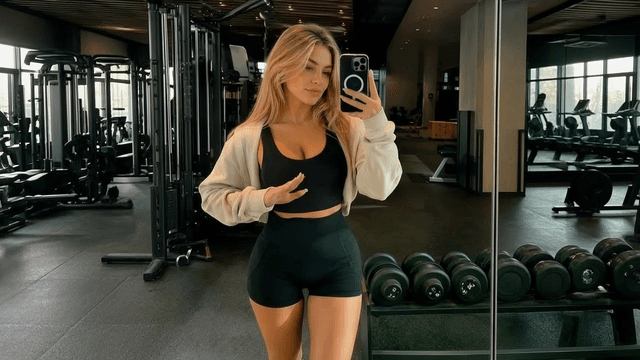
Most tools treat a clip as one object and hand back a rewritten version of the whole thing. An uncensored video editor should work on seconds instead. Set an in point at 0:14 and an out point at 0:21, and only those seven seconds are redrawn. The approved take either side of that range survives untouched, which is why an AI video editor uncensored pass is safe to run late in a cut. Add a second range afterwards without re-rendering the first.
AI Video Editor With Prompt No Restrictions
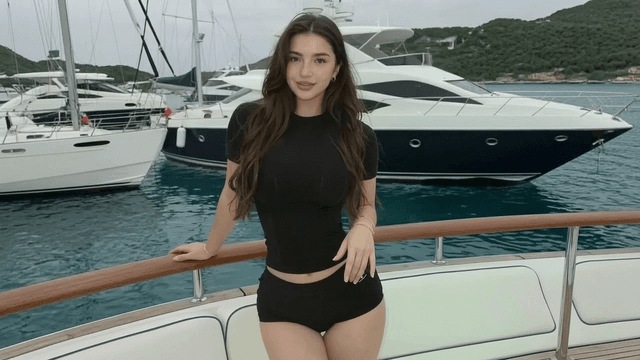
Timeline tools make you find a menu for every change. Here the instruction is a sentence: swap the outfit, move the scene to a hotel room, drop the lights, make the action explicit. An AI video editor with prompt no restrictions accepts adult wording without softening it into a vaguer request. ai nsfw video editor work stays inside the marked seconds, so the rest of the edit is not up for renegotiation. A free AI video editor no restrictions session runs that in the browser.
18+ AI Photo to Video Editor Segments
Sometimes the missing beat only exists as a still. Drop that image onto the timeline and an AI photo to video editor pass turns it into a moving segment that matches the footage either side. An 18+ AI photo to video editor insert can carry the same wardrobe and lighting as the clip it sits between. Searches for an 18+ AI photo to video editor online free tool usually want exactly this: a still becoming a few usable seconds inside a real edit rather than a standalone clip.
Free AI Video Editor Online With Clean Export
A cut you cannot deliver is not finished work. free AI video editing here exports the full timeline as an unmarked MP4 rather than a stamped preview. An AI video editor free online session keeps the original resolution and does not re-encode the audio. Nothing is published to a gallery or a discovery feed. video editing AI free access covers the first passes, and a heavier week of ranges moves onto a paid tier.
Who is Senzia's Uncensored AI Video Editor for?
Post Supervisors
One bad stretch should not cost a re-shoot or a full re-render. A video editor with AI on the range level fixes those seconds and leaves the approved cut alone.
Adult VOD Programmers
A library title sometimes needs one scene reworked before it goes live. An 18+ AI video editor online pass handles that without pulling the whole file back into a suite.
Freelance Colourists
Clients ask for changes that are not really colour. An adult AI video editor covers wardrobe and set requests that would otherwise bounce back to production.
Why Choose Senzia's Uncensored AI Video Editor?
Only the Marked Stretch Is Redrawn
An AI video editor unrestricted enough to accept any instruction is useless if it rewrites the whole file to obey it. Frames outside the in and out points come back identical, and the audio is passed through rather than re-encoded. That is what makes a late change survivable on a locked cut.
No Flicker Inside the Range
Running a still-image tool frame by frame produces a garment that changes shade twenty-four times a second. video AI editing has to hold the change across the whole range and match the boundary frames at both ends. An AI powered video editor that skips this leaves a visible seam where the edit starts.
18+ Workspace, Free to Start, Stated Refusals
A free uncensored AI video editor session opens in the browser with no install. Adult instructions on your own footage are in scope. Footage of a real, identifiable person needs that person's permission, and sexualised edits without it are refused, as are minors and named public figures. Those limits are published rather than applied silently.