Uncensored AI Image-to-Video Guide for Adult Creators
Many adult creators have the same frustration when using mainstream AI video platforms: their prompts are frequently rejected or the videos do not fully match their expectations. That's why more creators are searching for uncensored AI image-to-video solutions.
When you are creating erotic scenes, attractive characters, and bold actions, choosing the right tool can greatly affect your results.
In this guide, we will explain how to achieve better results, share prompt tips, and discuss factors such as free access, quality, and privacy.
What Adult Creators Actually Want
Adult creators need models that understand intimate storytelling—not just generic motion. That means erotic scenes, close body language, seductive expressions, and bold actions should come through clearly when described in a prompt, instead of being softened, blocked, or replaced with vague movement.
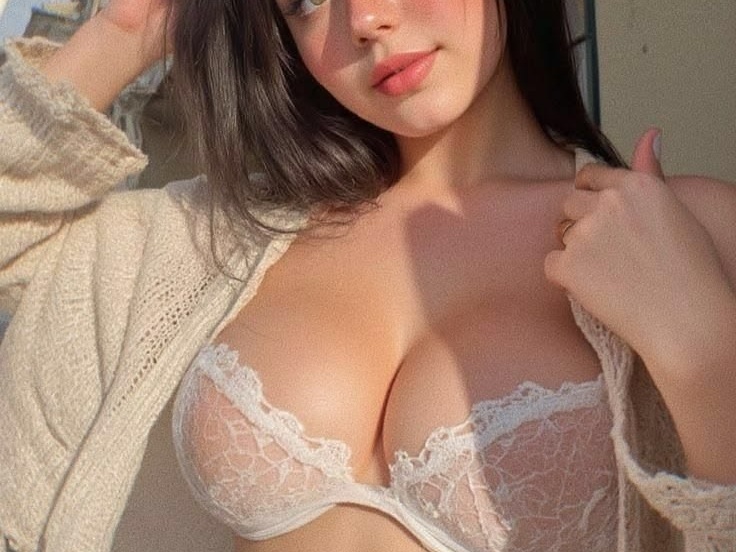
Creative freedom matters just as much. Creators want fewer unnecessary refusals and more control over how characters look, how chemistry builds between people, and how a still frame becomes a convincing sequence. A good uncensored AI image-to-video tool should let creators guide pose, pacing, and mood without constantly adjusting prompts to work around unnecessary restrictions.
Consistency is also crucial for adult content. The characters' face, body type, outfit details, and visual identity should be stable when the characters move. Great tools make less of random face morphs and clothing glitches, so results feel predictable for regular publishing.
How to Choose an Uncensored AI Image-to-Video Generator
Does the platform truly support unrestricted NSFW image-to-video features?
Can it follow detailed adult prompts, preserve character identity from your upload, and avoid heavy filtering that breaks the scene you wanted?
Prompt control and character consistency usually matter more than flashy marketing claims.
Then compare factors such as video quality, generation speed, free credits or paid plans, and how uploaded images are handled by the platform. The best uncensored AI image-to-video generator for you is the one that gives you creative freedom and still produces results you can reuse.
Recommended Uncensored AI Image-to-Video Tools for Adult Creators
Senzia
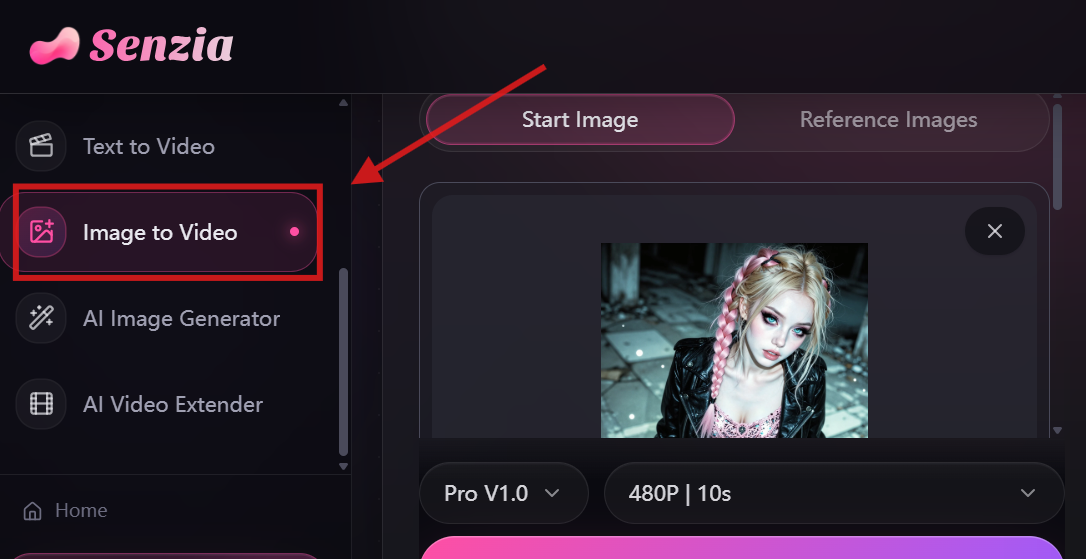
Senzia focuses on uncensored AI image-to-video generation and is designed for creators who want their ideas to be translated into videos more accurately. It is suitable for users who want more control over character actions and scene details. New users can access free credits to try its AI video features, while continued generation requires purchasing additional credits or upgrading to a paid plan.
Media.io
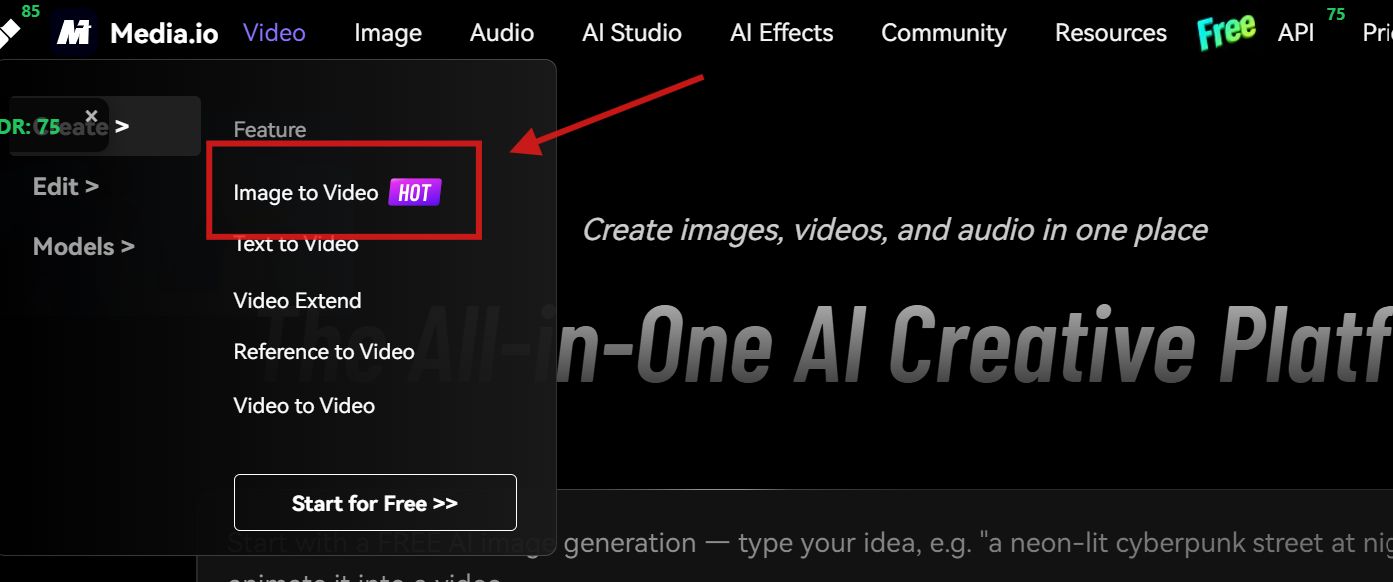
Media.io provides a simple and accessible unrestricted AI image-to-video experience with a clean interface and straightforward operation. It is good for creators who want to quickly make images into videos but don't want to spend much time to learn how those complex settings work.
The platform gives limited free credits for new users to test its features, while more frequent use requires additional credits or a subscription.
Mage.space
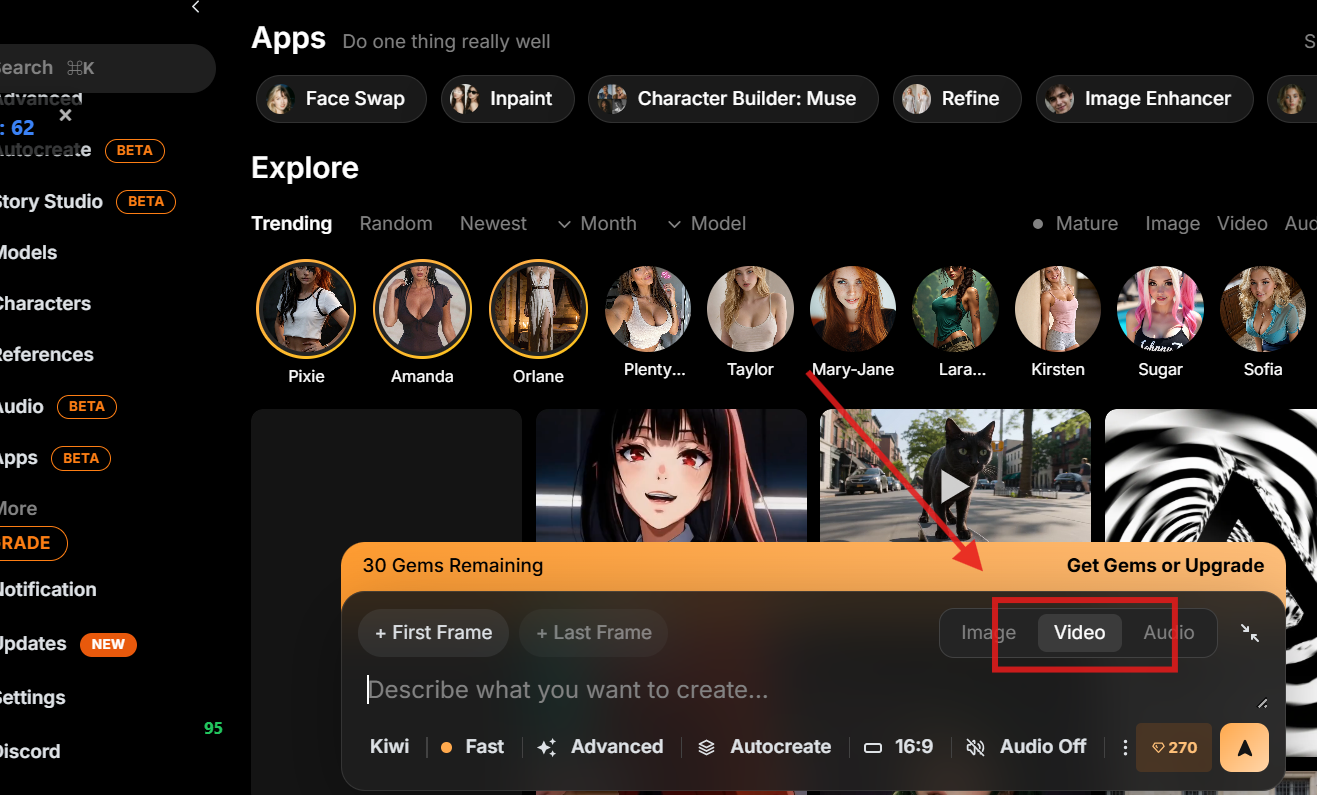
Mage.space provides a broader AI creative environment that includes image generation and other community-oriented features beyond basic video creation. Users can explore creations, interact with the platform community, and discover different creative ideas. Mage.space offers free credits or limited access for users to try its features, while higher usage limits and advanced functions may need more credits or a paid plan.
How to Create Uncensored AI Image-to-Video Content
After choosing the right platform, the next step is learning how to create higher-quality AI videos.
Step 1: Prepare a High-Quality Image
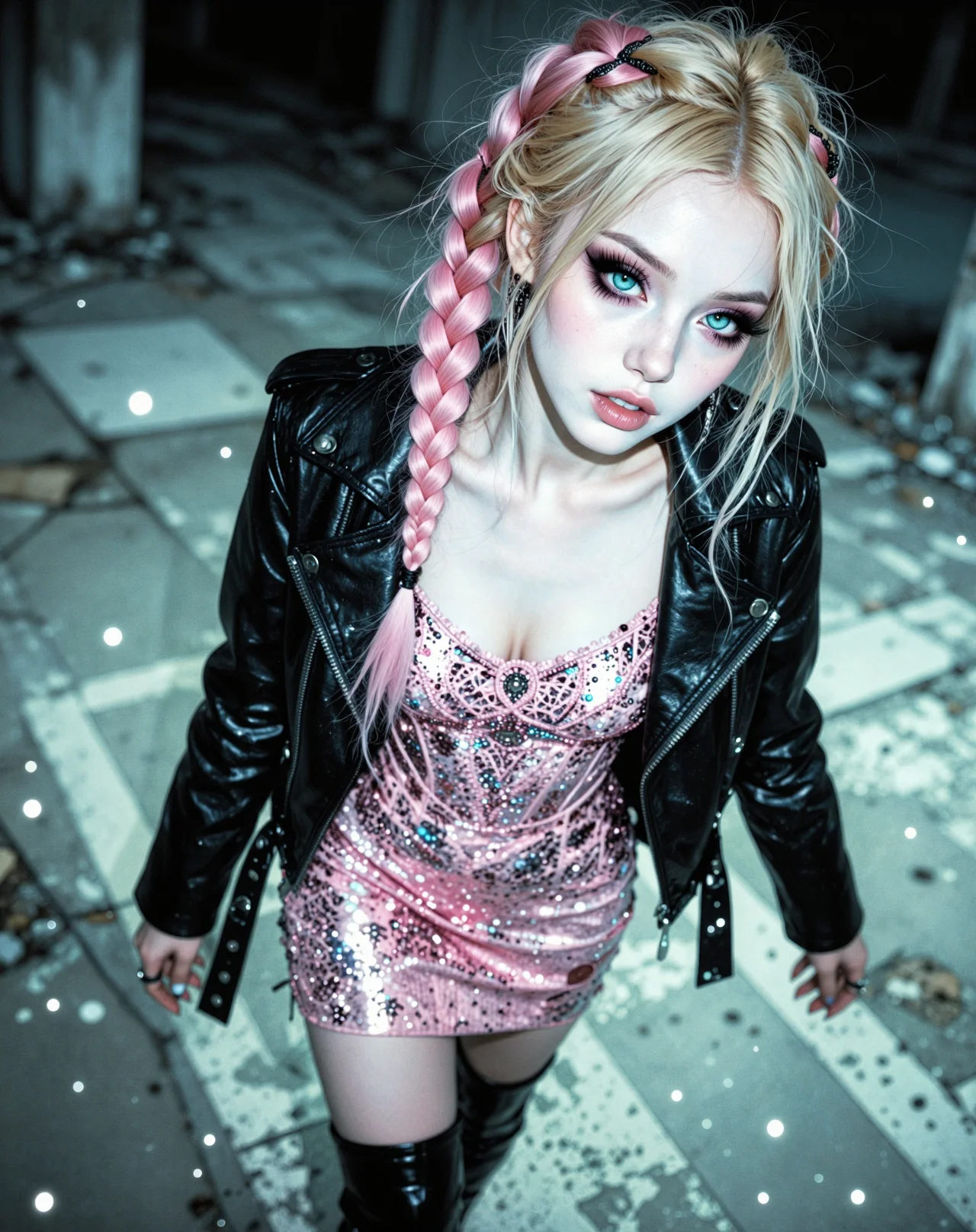
The clearer and more detailed your reference image is, the better the AI can understand what your character looks like. That way, the video it generates will keep the character consistent and won't go off-track in uncensored videos. Creators need to choose images with clear facial details, even lighting, simple backgrounds.
Example:
Step 2: Write a Detailed Prompt
AI video tools with fewer restrictions are able to generate more uncensored videos with greater control over the final output.
A strong prompt helps the AI understand the creator’s intention. Creators should provide information about the subject, movement, and visual style.
A useful prompt structure is:
Subject + Action + Expression + Camera + Visual Style
For example:
She slowly removing her jacket with graceful movements. She has a charming and alluring expression, expressive eyes, and a relaxed attitude. As the scene develops, she reveals a stylish inner outfit while maintaining natural body language and subtle emotional expressions. The warm dim lighting creates an intimate atmosphere, with detailed facial features, realistic textures, soft shadows, smooth camera movement, and a high-quality film style.
With more detailed instructions, creators can better use the flexibility of uncensored AI image-to-video generators while maintaining more realistic and controlled results.
Result:
Step 3: Review and Improve Results
If the output isn't quite right, try playing around with the image you uploaded, polishing your prompt, or adjusting the movement and style options—small changes can make a big difference.
Small changes in wording can significantly affect the generated video.
Result:
Prompt Tips for Different Uncensored Scenes
Different uncensored videos need different prompt
focus. Solo shots lean on expression and slow motion; multi-person scenes need clear roles, distance, and who moves first.
Use the same Subject + Action + Expression + Camera + Visual Style pattern, then adjust for people count and interaction.
Two-person interaction example:
Two adults stand close in soft bedroom light. She leans in while he holds her waist; they share a lingering look, then a slow kiss. Natural breathing, subtle smiles, gentle hand movement on her back. Medium shot, slow push-in, warm tones, realistic skin texture, cinematic intimate style.
Three-person scene example:
Three adults are in a lounge setting: one sits center as the focus, the other two stand on either side. The person on the left whispers near the center figure's ear while the person on the right watches with a playful expression. Clear positioning, light touches on shoulders, calm chemistry. Wide-to-medium camera, soft shadows, stylish night atmosphere.
Action and expression example:
A woman turns toward the camera and slowly unbuttons her shirt, pausing with a confident, teasing smile and half-lidded eyes. Smooth shoulder movement, relaxed posture, deliberate pacing. Close-up on face then tilt down slightly, shallow depth of field, dim warm light, high-detail film look.
FAQ
What is an uncensored AI image-to-video generator?
It's a tool that gives creators more freedom when turning images into videos. Users often search for these tools because they want better prompt control, fewer unnecessary restrictions, and bolder personalized content.
These tools are very useful for adult creators who want more control over erotic scenes, sexy characters and bold actions. An effective NSFW AI image-to-video generator can help transform creative ideas into more realistic video results.
Can any image be transformed into a video?
Most images can be used for uncensored AI video generation, but the final video quality depends on image resolution, clarity, composition, and the AI model's capabilities. High-quality images often have more realistic results.
Images with specific details, balanced lighting, and enough visual information often give better results.
How long does AI video generation take?
Generation time may vary depending on the platform, video length, quality settings, and current demand. Short AI videos are usually created within a few minutes, while more complex results may require additional processing time.
Creators should consider both speed and output quality when choosing an NSFW AI video creator, especially when producing content regularly or testing multiple creative ideas.
Are free uncensored AI video generators good enough?
Free AI video generators are often used for testing ideas and learning how the tools work. But they may include limits on credits, speed, or other features, thus making paid plans more suitable for creators who want to create more content.
Many users first try a free uncensored AI image-to-video generator before choosing a platform to decide which suits them better.
Is it safe to upload personal images to an uncensored AI image-to-video tool?
Before uploading pictures, you need to check how the platform deals with and stores images: whether these uploads are retained and how user data is managed, and to make sure the content would not be used for other purposes. Reading privacy policy is helpful. You can choose tools that better protect your files.
What should creators keep in mind for responsible NSFW use?
Make sure you own the rights to any image you use, don't share anything that invades someone's privacy, and always check each platform's guidelines during the uncensored generating process. When we all create responsibly, we protect each other's rights and help build a healthier, longer-lasting AI community.
The need for NSFW AI image-to-video tools shows an increasing demand for more unrestricted creative freedom and better control over AI-generated content.
Different tools aim at different needs. Some users may like simple and fast ones, while others may prioritize realism and customization.